

When something breaks in your product, the first question users ask isn’t why it happened.
It’s much simpler:
“Is this just me, or is something wrong with the product?”
How you answer that question is entirely dependent on the type of status page you are using. And this is where many SaaS teams get confused—because not all status pages are intended for the same audience.
Some are built for customers, while some are built for internal teams. Some try to do both and end up doing neither well.
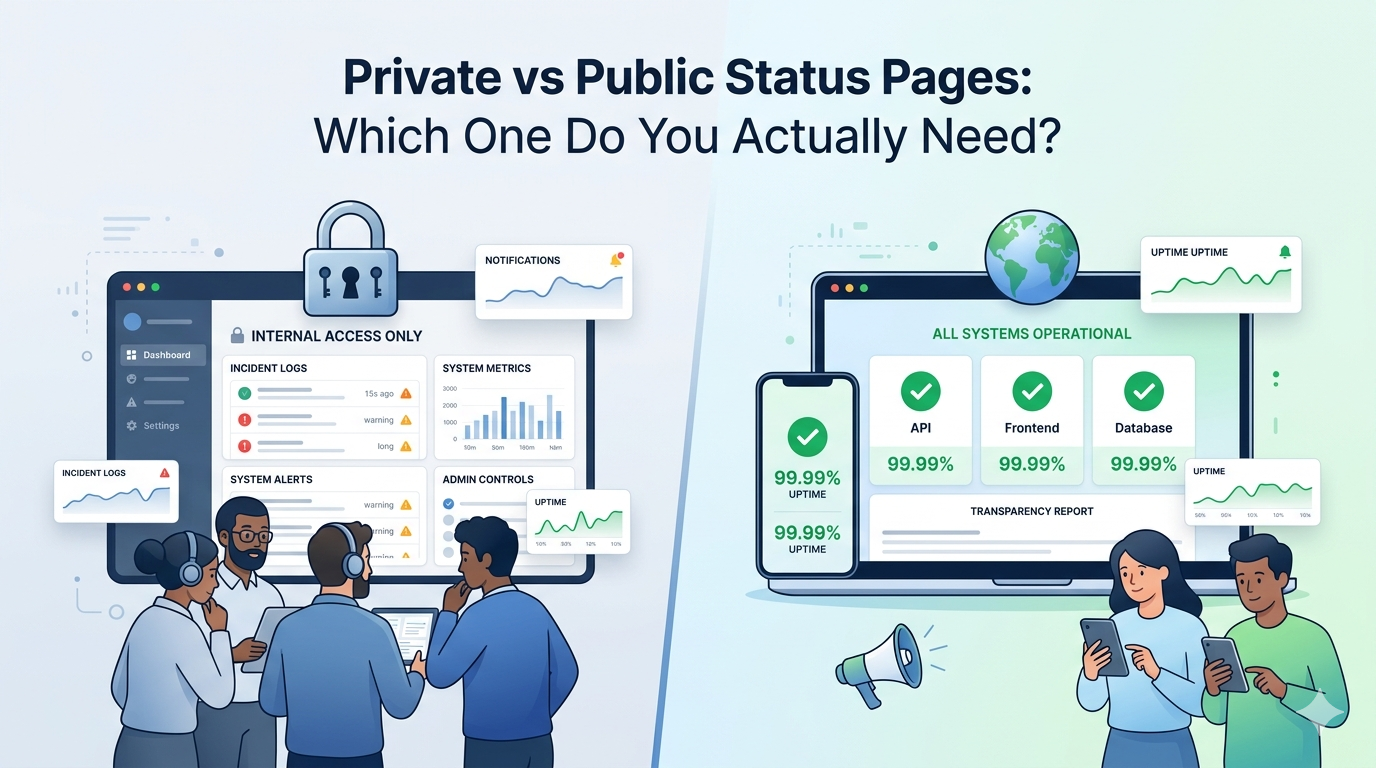
If you are faced with the decision of whether to use a public or private status page, it is not a decision based on functionality. It is based on who needs the information, when they need it, and how visible your communication should be.
What a Status Page Does (Before Choosing the Type)
A status page is a communication layer. It reflects the status of your product or services and prevents confusion in the event of an incident, outage, or maintenance.
Rather than having users try to figure out things on their own, retry an action, or reach out to support, a status page provides them with clarity from the start.
But here’s the key part:
Not all people require the same level of visibility.
This is why there are status pages, both public and private.
What Is a Public Status Page?
A public status page is available to everyone, including customers, prospects, partners, and even those who are not logged in.
The primary function is external communication.
When you use a public status page, you’re saying: “We believe transparency builds trust, even when things aren’t perfect.”
When a Public Status Page Makes Sense
You require a public status page if:
- Your product has paying customers
- Users rely on your service for their own work
- Downtime affects customer processes directly
- You want to decrease “Is it down?” support tickets
- You care about brand credibility during incidents
Public status pages are particularly important for:
- SaaS platforms
- APIs and developer tools
- Fintech and B2B products
- Customer-facing applications
If users are unable to log in or if they feel something is broken, a public page is the first place they go.
What Is a Private Status Page?
A private status page is limited to internal teams only. It is mostly available only to employees or operational teams.
The aim is internal visibility, not customer communication.
Private status pages are commonly employed for:
- Monitoring infrastructure health
- Monitoring internal tools
- Coordinating the response to incidents
- Sharing technical updates without worrying about external interpretation
They are very useful for internal systems where customers do not have visibility or where it might cause confusion to share the issues publicly.
Public vs Private Status Pages: Comparison Table
| Aspect | Public Status Page | Private Status Page |
| Audience | Customers, partners, public | Internal teams |
| Access | Open | Restricted |
| Primary goal | Transparency and trust | Operational awareness |
| Impact on support tickets | High reduction | No direct impact |
| Suitable for customers | Yes | No |
| Incident visibility | External-facing | Internal-only |
| Best for | SaaS, APIs, platforms | Internal tools, staging, ops |
Key takeaway:
If customers are impacted by a problem, having a private status page is not sufficient.
Which One Do You Actually Need?
This is where most teams go wrong—they treat this as an either/or decision.
In reality:
- Most SaaS businesses require a public status page
- Many also benefit from a private one internally
You probably need a public status page if:
- The question that users have always asked is, “Is your product down?”
- Support gets flooded during outages
- Problems are shared on social media before you communicate
- Trust is more important than perfection
A private status page is effective if:
- The system is purely internal
- Downtime does not impact customers directly
- You require technical detail tracking
- Communication is only for internal coordination
If you are customer-facing and only using a private status page, you are solving the wrong problem.
Why Public Status Pages Help Reduce Support Load
When users encounter a problem, the first thing they want to know is whether it is already known. A status page provides the answer to that question right away.
This results in:
- Fewer repetitive tickets
- Less pressure on support teams
- Resolving incidents more quickly within the organization
- More consistent communication
This is where platforms such as Incipulse can be of real use—to provide you with a clear, user-facing way to communicate incidents without having to do one-on-one explanations.
When Private Status Pages Are Still Valuable
The truth is, private status pages aren’t useless; they’re just misunderstood.
They are particularly useful when:
- You are tracking microservices or internal dependencies
- You want detailed, technical updates
- You’re coordinating between engineering, SRE, and ops teams
- You don’t want customers to see raw, unfiltered system data
Imagine the private status pages as operation dashboards, not communication channels.
Can One Status Page Serve Both Purposes?
Some teams attempt to utilize a page for both internal and external audiences. This is normally a problem.
Why?
- Internal updates are too technical for users
- The external messaging becomes watered down
- There is a reluctance to issue early updates by teams
- Communication becomes slower
A better way is:
- Private status page for internal tracking
- Public status page for user communication
Each has its own distinct role, and none of them undermines the other.
How to Decide the Right Setup for Your SaaS?
Ask yourself these questions:
- Who is affected when something breaks?
- Who needs answers first?
- How much detail should be provided for users?
- Would we rather be proactive or reactive in emergencies?
If your users are affected, and you want to keep their trust, having a public status page is not optional.
Status Pages as a Trust Signal
Status pages have become a popular way.
A visible and well-maintained public status page communicates the following message:
“We’re aware. We’re accountable. We communicate.”
Over time, this becomes a part of your brand’s reliability—not just an emergency tool.
Platforms such as Incipulse ensure that communication between SaaS teams is consistent, timely, and user-friendly, without adding complexity during incidents.
Conclusion: Choose Based on Communication, Not Convenience
Private and public status pages are used for different purposes. The error is not in choosing one over the other—it is in choosing the wrong one for your users.
If your product impacts customers, they need to be visible. If your team requires internal understanding, they need to be tracked in detail.
More often than not, the correct response is not private or public—it’s knowing who needs the information, and when.
FAQs
Can a SaaS have both public and private status pages?
Yes. Many mature SaaS teams have private status pages for internal monitoring and public status pages for customer communication. They both have different uses.
Is a public status page risky for brand image?
No. Transparency will always increase brand trust. Users are more understanding of problems than they are of silence.
When should you update a public status page?
As soon as the problem is recognized, and then periodically until it is resolved. Even brief status updates will remind users that the problem is being actively addressed.
